Traveling in South Korea is a fantastic experience, but if you rely solely on Google Maps South Korea for navigation, you might run into trouble. Unlike in most countries, the functionality of Google Maps in Korea is severely limited.
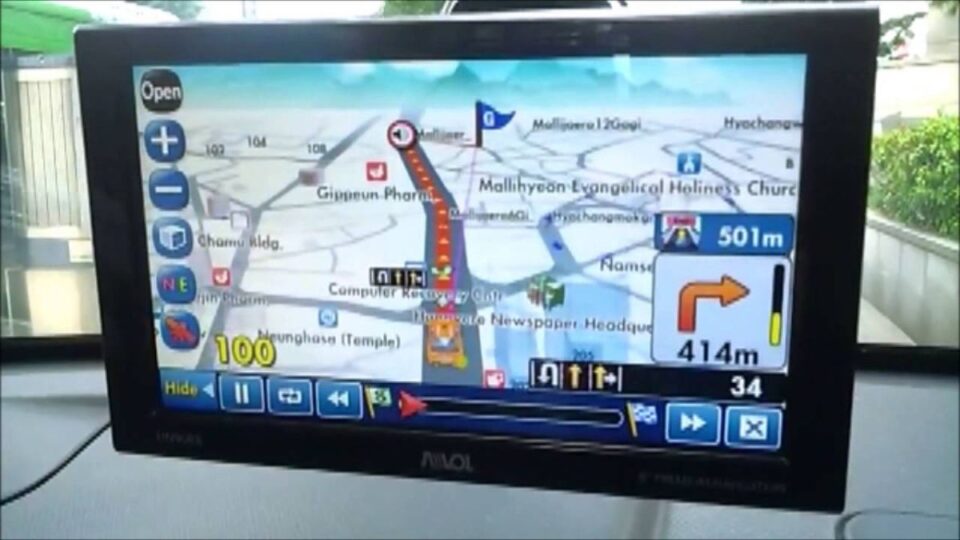
This article will reveal the truth about Google Maps Korea and guide you on using the optimal local mapping applications so you can confidently explore Seoul, Busan, and Jeju Island.
The Truth About Google Maps in South Korea (Google Maps Korea)
Many visitors are shocked to find that Google Maps doesn’t work as effectively as expected. Here’s why:
Why is Google Maps Data Restricted in South Korea?
The main reason lies in national security laws and related issues.
The South Korean government has strict regulations regarding the export of detailed map data. This is intended to protect military installations and other sensitive information from external surveillance. Consequently, Google has not been permitted to acquire detailed map data, resulting in a stripped-down version of Google Maps South Korea.
The Missing Features on Google Maps South Korea
If you try to search for directions on Google Maps Korea, you will notice:
- Restricted Detailed Directions: Detailed driving or walking directions (turn-by-turn navigation) are often unavailable or highly inaccurate.
- Incomplete Public Transportation Information: Information on bus and subway routes is often not updated in real-time. This is particularly inconvenient when you need to know exactly when the next train or bus will arrive.
Solution #1: Optimal Local Maps for Travelers
To navigate like a local, you must switch to using local mapping applications. They work flawlessly and provide real-time data.
Naver Map: The Korean “Must-Have” App
Naver Map (네이버 지도) is the most popular mapping app in South Korea, widely used by both locals and tourists.
- Pros: Accurate data, continuous real-time updates on traffic and public transport schedules. Crucially, the app has a traveler-friendly English interface.
- Key Features: Detailed directions for walking, bus, subway, and car. Provides location reviews from the Korean user community.
KakaoMap: Best for Seoul Public Transit
KakaoMap (카카오맵) is another excellent choice, especially if you frequently use the subway system.
- Pros: Strong integration with the Kakao ecosystem (KakaoTalk, KakaoTaxi) and features an accurate, intuitive Subway Korea Map (Korean Subway Map).
- Travel Benefit: Easy-to-use interface for finding stations, viewing network diagrams, and calculating travel time by train.
Tip: Combine Google Translate with Korean Maps
A common barrier when using local maps is that place names often appear in Korean. A small trick is:
- Use Google Translate to translate the destination name into Korean.
- Copy the Korean name and paste it into the search bar of Naver Map or KakaoMap.
- The result will be much more accurate than searching in English within these apps.
What is Google Maps Still Useful For?
Despite its limitations, Google Maps South Korea still holds some useful roles in your travel plan:
Searching for Locations in English
If you only need to determine the general location or find a famous landmark with an English name, Google Maps is still a good choice.
For example, you can easily search for “Namsan Tower” or “Myeongdong” and see their locations on the map. This is convenient for initial planning or calling a taxi.
Saving and Sharing Locations
Google Maps is the ideal tool for you to:
- Save your favorite destinations into a personal List.
- Share locations with friends or family before your trip (as most people are familiar with the Google Maps interface).
Important Keywords and Places to Note
When planning your trip, remember to use more specific keywords to optimize your search:
- Google Map in Seoul: While in the capital, Naver/KakaoMap are superior for navigating the subway and buses. However, Google Maps can still help you locate major palaces like Gyeongbokgung.
- Busan Google Map: Busan has a complex subway and bus system. Always cross-reference information with Naver Map to ensure you don’t miss your ride.
- Jeju Island Google Map: If you are planning to explore this island paradise, you can refer to our detailed guide on Jeju Island. Getting around Jeju often requires renting a car or using taxis/buses, making accurate data from Naver/KakaoMap essential.
- Subway Korea Map: Always remember that local applications will provide a subway map that is clearer and more up-to-date than any search result on Google Maps.
Final Advice
Don’t let the limitations of Google Maps ruin your trip.
Summary of Advice: Use Google Maps South Korea for initial searching in English and saving locations. But once you arrive in Korea, you must download and use Naver Map or KakaoMap for navigation and to enjoy real-time public transit information.